
Puretech Titus 18-Port Fast PoE Switch TD-POESWITCH-POE16
Pcode
31577
£145.00
In stock
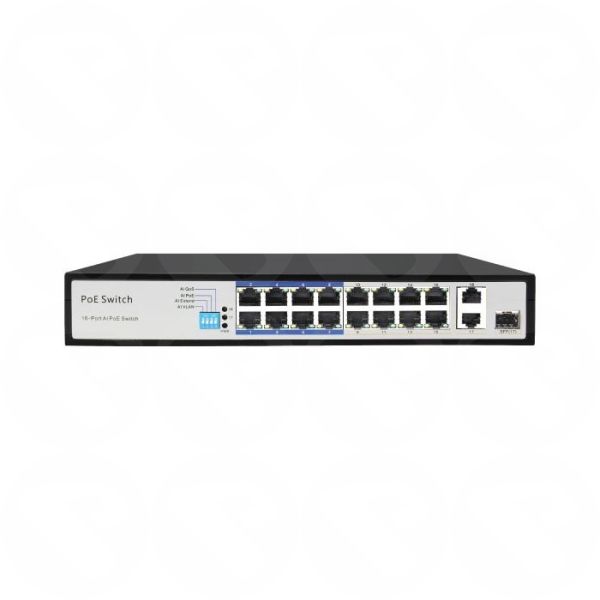
The 18 Port Fast PoE Switch is a reliable and high-performance networking solution designed for IP cameras, access points, and network devices. Featuring 16 PoE ports and 2 Gigabit uplink ports, it delivers stable power and data through a single Ethernet cable. With advanced AI modes, strong bandwidth, and long-distance PoE transmission, this switch ensures secure, smooth, and efficient network operation.
Categories: Switches, Networking
The 18 Port Fast PoE Switch is a reliable and high-performance networking solution designed for IP cameras, access points, and network devices. Featuring 16 PoE ports and 2 Gigabit uplink ports, it delivers stable power and data through a single Ethernet cable. With advanced AI modes, strong bandwidth, and long-distance PoE transmission, this switch ensures secure, smooth, and efficient network operation.
Key Features
- 16 PoE Ports: Provides power and data to PoE-enabled devices using IEEE 802.3af/at standards.
- 2 Gigabit Uplink Ports: Ensures fast and stable data transmission to core network devices.
- AI PoE Mode: Automatically detects and restarts unresponsive devices to maintain uptime.
- AI QoS Mode: Prioritizes video data to ensure smooth and uninterrupted surveillance streaming.
- AI VLAN Mode: Isolates ports 1–16 to enhance network security and reduce broadcast storms.
- AI Extend Mode: Extends PoE data and power transmission up to 250 meters.
Specifications
- Switch Type: Fast Ethernet PoE Switch
- Total Ports: 18
- PoE Ports: 16 × 10/100Mbps
- Uplink Ports: 1 × 1000Mbps Combo Port, 1 × 1000Mbps RJ45 Port
- Switching Bandwidth: 7.2Gbps
- PoE Standard: IEEE 802.3af / 802.3at
- Total PoE Power Budget: 150W
Dimensions
Standard desktop or rack-mount compatible design suitable for professional networking environments.
Material and Finish
Durable metal housing with a heat-resistant finish for long-term stability and efficient heat dissipation.
What’s Included
- 1 × 18 Port Fast PoE Switch
- 1 × Power Cable
How to Use
- Connect PoE-enabled devices such as IP cameras or access points to the PoE ports.
- Connect the Gigabit uplink ports to a router or core switch.
- Select the desired AI mode based on your network requirement.
- Power on the switch and allow automatic device detection.
Ideal For
- IP CCTV surveillance systems
- Office and enterprise networks
- Hotels, schools, and retail environments
- Wireless access point deployments
| Part Number | TD-POESWITCH-POE16 |
|---|
Sign In